Big Update: Nigehban Online Registration Mistakes Ko Fix Karne Ka Tareeka – Rejection Se Pehle Correct Karo! (March 2026)
Bhai agar aapne Ramzan Nigehban Card 2026 ke liye online registration (PSER portal ya SMS 8070) ki hai aur ab status “Ineligible”, “Record not found”, “Under Verification” ya koi error aa raha hai toh tension na lo – zyadatar mistakes fix ho sakte hain rejection se pehle!
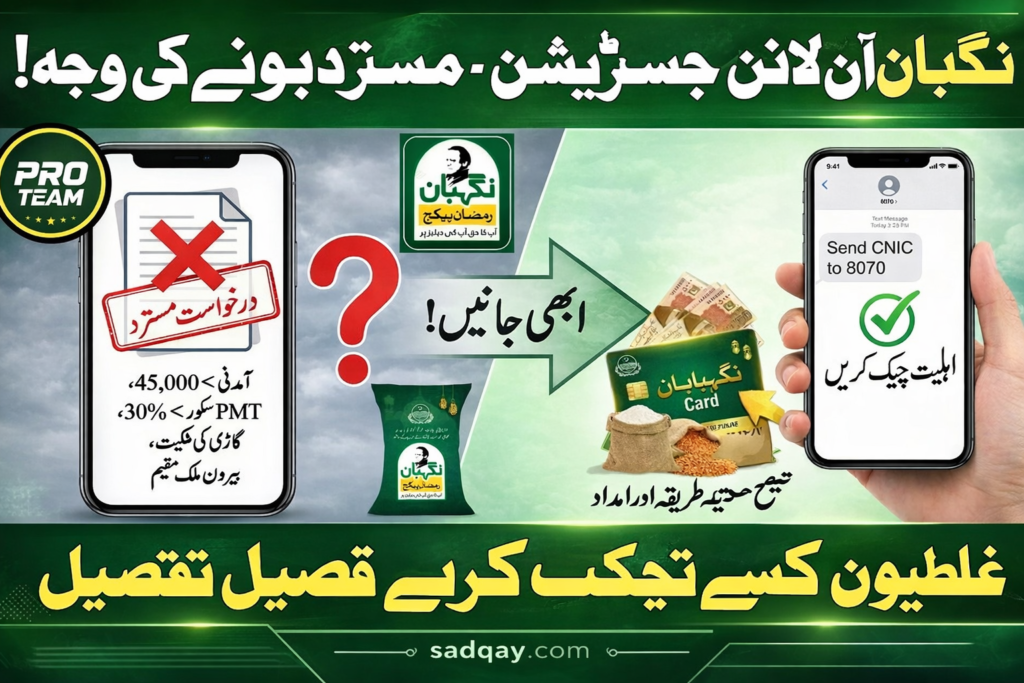
Punjab government (Maryam Nawaz team) ne is program mein strict verification rakhi hai (NADRA, BISP, income check), lekin galtiyan common hain jaise galat CNIC, outdated data, SIM mismatch ya incomplete family details. March 2026 tak bohot se logon ne in mistakes ko correct kar ke card pa liya hai.

Is article mein sadqay.com ke liye step-by-step guide hai:
- Sabse common mistakes
- Kaise pehchanen aur fix karen
- Helpline, app aur portal use kar ke correction
- Re-check aur avoid future rejection
Yeh sab official sources (PSER portal, helpline 1000, 8070) pe based hai – agents se door raho!

Sabse Common Nigehban Registration Mistakes (Aur Unka Reason)
Yeh mistakes zyadatar rejection ya delay ka sabab banti hain:
| Mistake | Reason / Kyun Reject Hota Hai | Kitna Common Hai |
|---|---|---|
| Galat CNIC number ya dashes use karna | NADRA mismatch – system reject karta hai | Bohot zyada |
| SIM card registered nahi applicant ke naam pe | Verification fail – OTP ya SMS nahi aata | Common |
| Outdated socio-economic data (income, family size) | BISP/NSER record old – ineligible dikhta hai | Bohot zyada |
| Multiple applications (family members se) | Duplicate entry – system block karta hai | Medium |
| Incomplete household survey (PSER mein) | Family details missing – rejection | Medium |
| Expired CNIC ya address mismatch | NADRA record se match nahi | Common |
| Fake ya wrong income details | Automated screening fail | Rare lekin serious |
Note: Zyadatar cases mein rejection permanent nahi hota – data update karne se fix ho jata hai.

Step-by-Step: Mistakes Ko Fix Kaise Karen (Rejection Se Pehle)
Step 1: Pehle Status Check Karo (Galti Pehchano)
- SMS se: Apna 13-digit CNIC (no dashes) 8070 pe bhejo. Reply mein status aayega jaise “Eligible”, “Ineligible”, “Under Verification” ya “Record Not Found”.
- Online Portal se:https://pser.punjab.gov.pk/ pe jao → CNIC enter karo → status dekho.
- Agar “Ineligible” ya error hai toh reason note kar lo (jaise data mismatch).
Step 2: Common Fixes (Turant Try Karo)
- CNIC Galat Hai?
- NADRA se check karo CNIC valid hai ya nahi (NADRA e-Sahulat app ya center).
- Agar expired hai → renew karwao pehle.
- SIM Mismatch Ya No Reply?
- SIM apne naam pe registered karwao (Jazz, Zong, Telenor, Ufone franchise pe free).
- Dusre SIM se try karo ya balance check karo (SMS free hai lekin balance chahiye).
- 48 ghante wait karo – traffic zyada hone pe delay hota hai.
- Data Outdated Ya Incomplete? (Sabse Bada Issue)
- PSER portal pe login karo (agar account hai) ya new survey start karo.
- Family members, income, address update karo – honest raho!
- Electricity bill ya domicile proof ready rakho (verification ke liye).
- Submit karne ke baad new status check karo 8070 pe.
- Duplicate Application?
- Sirf ek CNIC (family head) se apply karo.
- Agar multiple hain toh helpline pe complaint karo duplicate remove karwane ke liye.
Step 3: Official Help Lelo (Agar Upar Wale Steps Se Na Ho)
- Helpline Numbers (24/7):
- 1000 (Maryam Ko Batain Helpline) – registration issues, errors, complaints ke liye best. Call karo, CNIC batao, problem explain karo.
- 0800-02345 (Punjab Govt General Helpline) – Nigehban queries.
- WhatsApp/App: “Maryam Ko Batain” app download karo → complaint register karo (CNIC photo attach kar sakte ho).
- MKB Punjab App: Google Play se download → “Registry Errors” ya “PSER Eligibility” section mein complaint daalo. Evidence (CNIC photo, 8070 SMS screenshot) upload karo.
- Local Visit: Nearest AC/DC office, Tehsil Municipal ya Union Council jao – manual verification ya survey update karwa lo.
Step 4: Re-Check Karo (Fix Ke Baad)
- 24–72 ghante baad dobara 8070 pe SMS bhejo.
- Portal pe status refresh karo.
- Agar ab bhi issue toh helpline pe follow-up karo (tracking ID note rakho).
Common Mistakes Avoid Karne Ke Tips (Future Ke Liye)
- Hamesha official portal https://pser.punjab.gov.pk/ ya 8070 use karo – fake sites se door raho.
- Koi agent ko paise mat do (sab free hai).
- Documents (CNIC, bill) scan ready rakho.
- Honest details do – fake income se permanent ban ho sakta hai.